View the identities assigned to a permission
When setting up access models, it can sometimes be helpful to understand who has access to a specific privilege. To see privilege enrollment for a specific permission, complete the following steps:
- From the Access Models list, select the access model. The access model's detail page is displayed.
- Select an application. The details panel appears.
-
Select a permission. The Privilege Enrollments page is displayed (see example below), which provides a list of all identities in the access model.
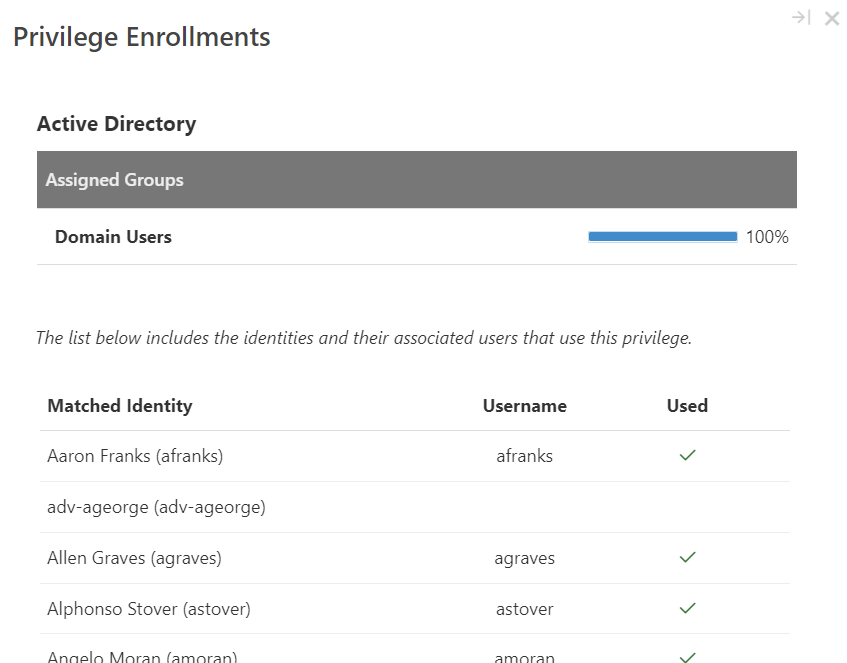
If an identity has the permission (determined based on the most recent import data), the Used column displays a check mark. If the identity does not have the permission, the Used column is blank.
-
When you are done viewing information, select the X button in the upper right corner of the window to return to the access model's detail page.