Standard reports
The Standard Reports section provides pre-configured reports related to reviews, applications, identities, and access models. Review the following information to learn more about each of the available reports.
Identity reports
- Identity Details
-
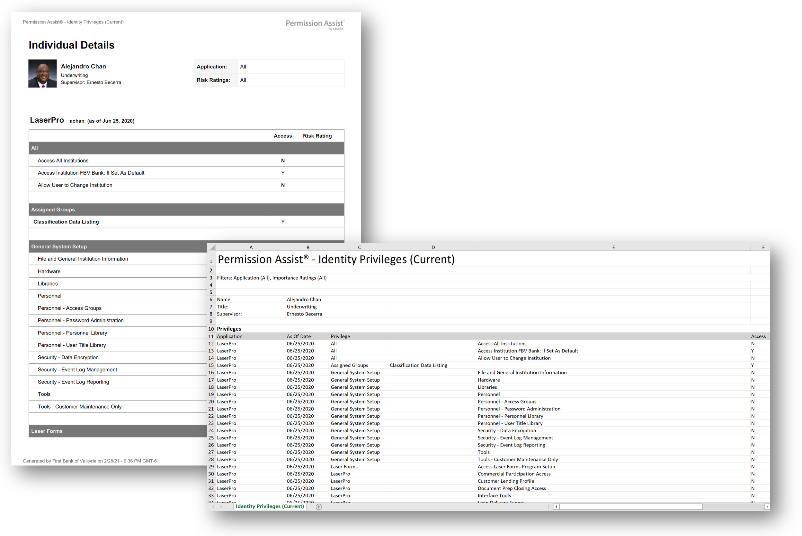
This report provides a list of all applications and privileges associated with the selected Identity. Report details include the Identity's name, title, and supervisor in the header. The report shows all applications and privileges associated with the Identity (according to the most recent import data) along with Risk Ratings for each privilege. Available in PDF and Excel.
- Reviewed Privileges
-
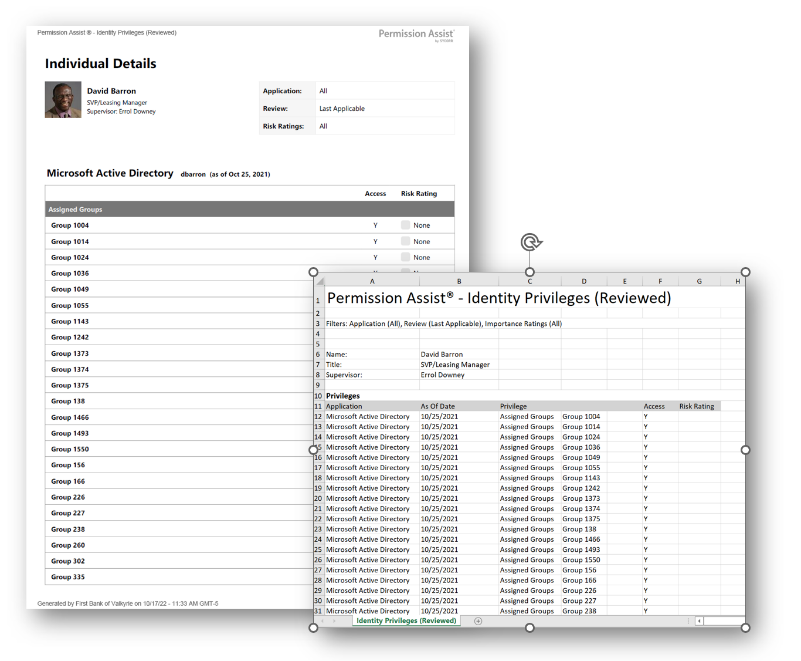
This report provides a list of all applications and reviewed privileges for the selected Identity -- regardless of when the application was reviewed or whether they still have access to that application. Permission Assist will use the most recently reviewed data for each application to display the list of privileges. Available in PDF and Excel.
- Complete History
-
This report provides a complete history of all personnel and access requests throughout the lifespan of an identity. There are two versions:
- Summary Report -- Provides a high-level overview of all personnel events and access requests, including the event number, created date, event type, action, application, and status
- Details Report -- A zipped file containing the summary report along with folders for Personnel Events and Access Requests, including any attachments associated with the access requests
- All Identities Summary
-
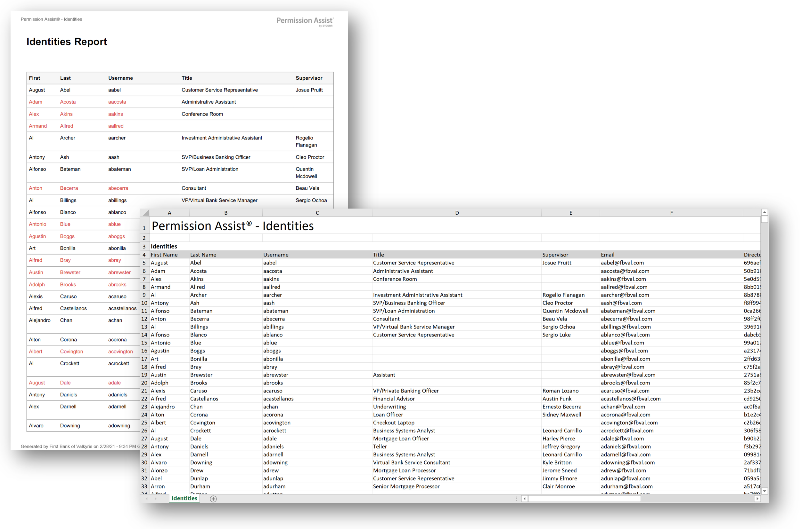
This report provides a list of all Identities within Permission Assist including first/last name, username, title, and supervisor. Additional information available in the Excel version includes email, directory ID, directory lookup, employee ID, status, type, created date, updated date, and first seen date. Available in PDF and Excel.
- Approved Enrollments
-
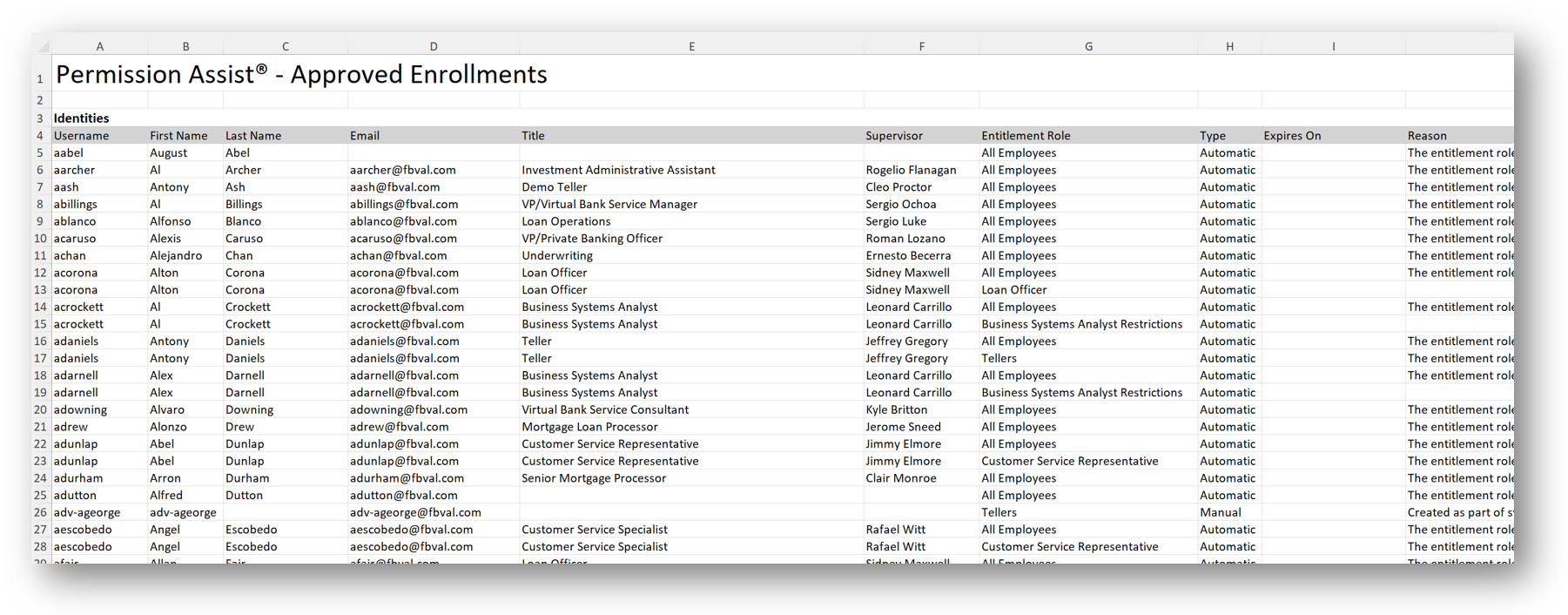
This report provides a list of all active Identities within Permission Assist and the Access Models associated with each Identity. Includes username, first/last name, email, title, supervisor, access model name, enrollment type (automatic or manual), expiration date, and reason. Available in Excel.
Application reports
Reports in this category provide information related to a specific application.
- Application Users
-
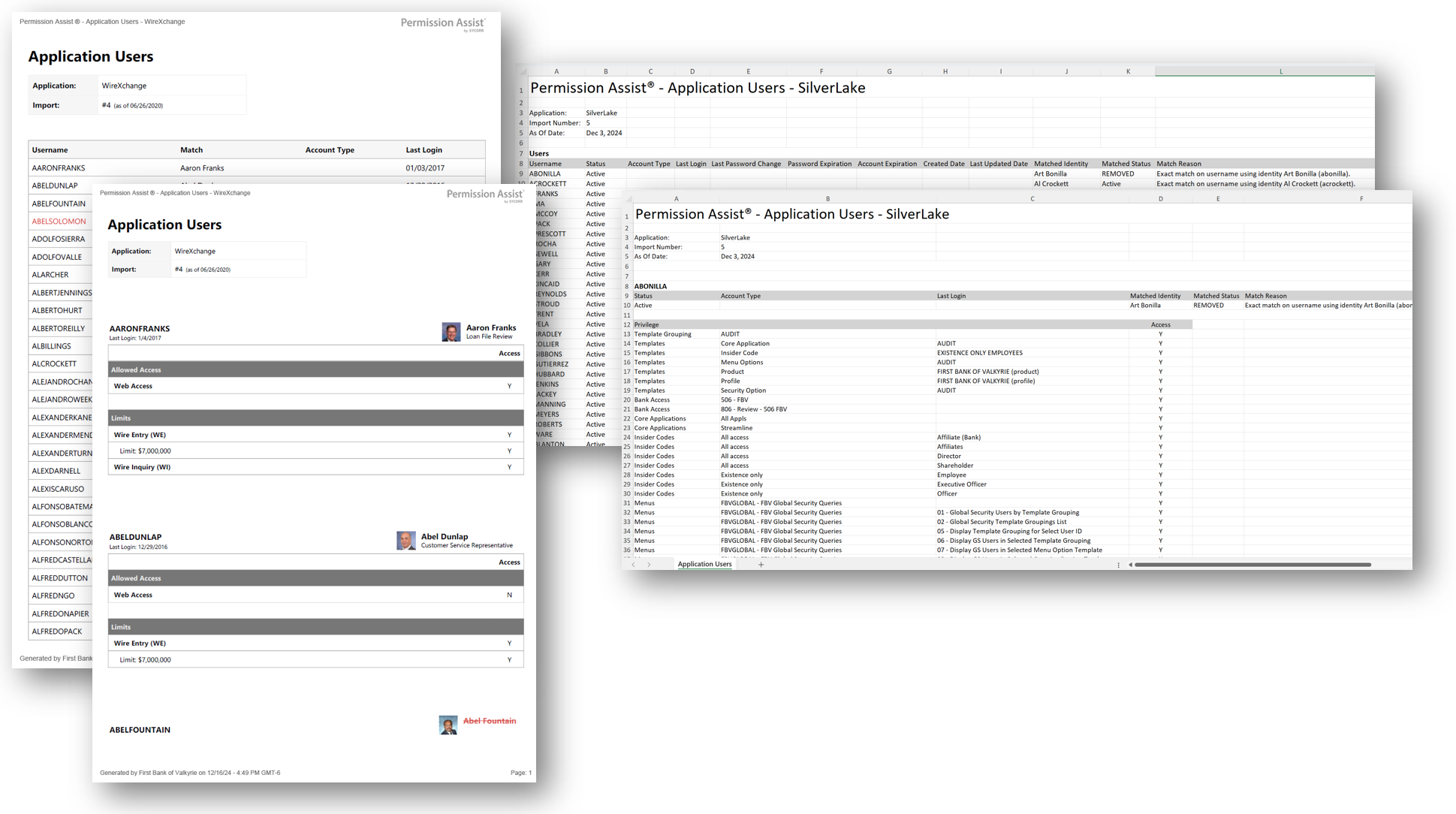
This report provides a list of all users within a selected application. Shows the application username and matched Identity. The detailed version includes all privileges. Within the Excel version, additional columns provide information such as matched Identity status, matched reason, account type, last login, last password change, password expiration, account expiration, created date, and last updated date. Available in PDF and Excel (both summary and detailed).
- Orphaned Accounts
-
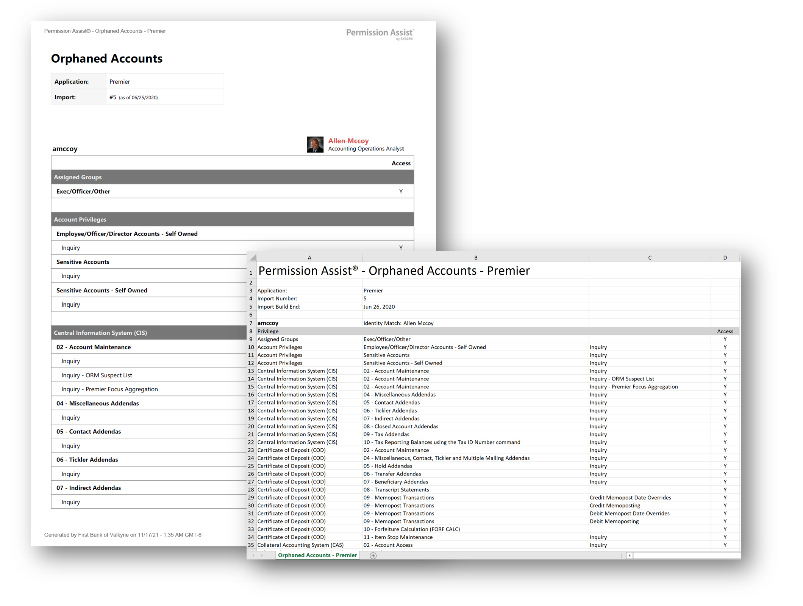
This report provides a list of all users assigned to disabled or missing Identities. Shows username, Identity, and last login date (summary) or privileges (detailed). Helps identify accounts that may need to be removed. Available in PDF and Excel.
- Ghost Accounts
-
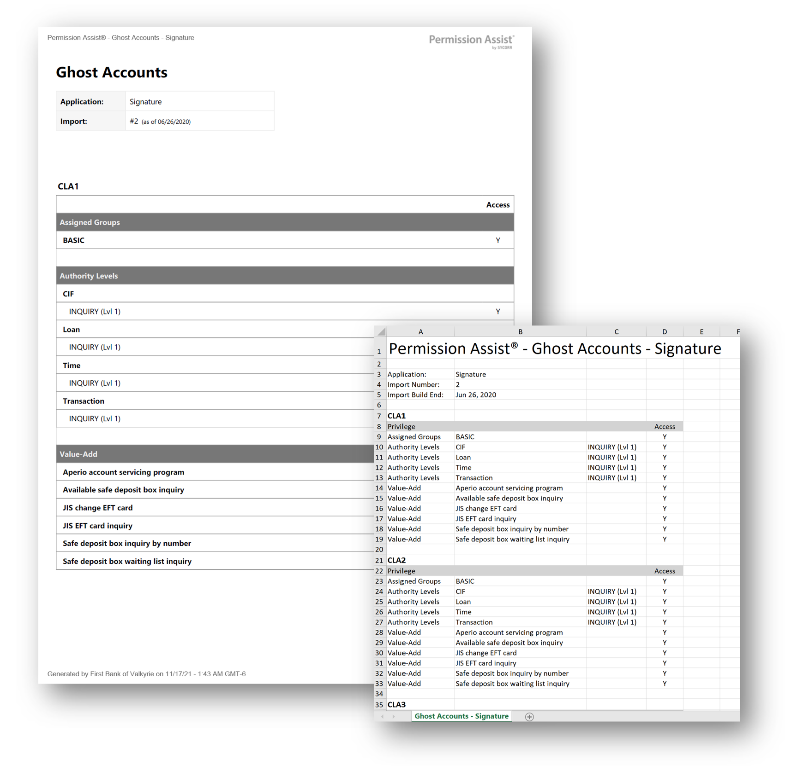
This report provides a list of all users that are not assigned to an Identity. These are accounts that Permission Assist could not match to a known person. Shows username, last login date (summary) or privileges (detailed). Available in PDF and Excel.
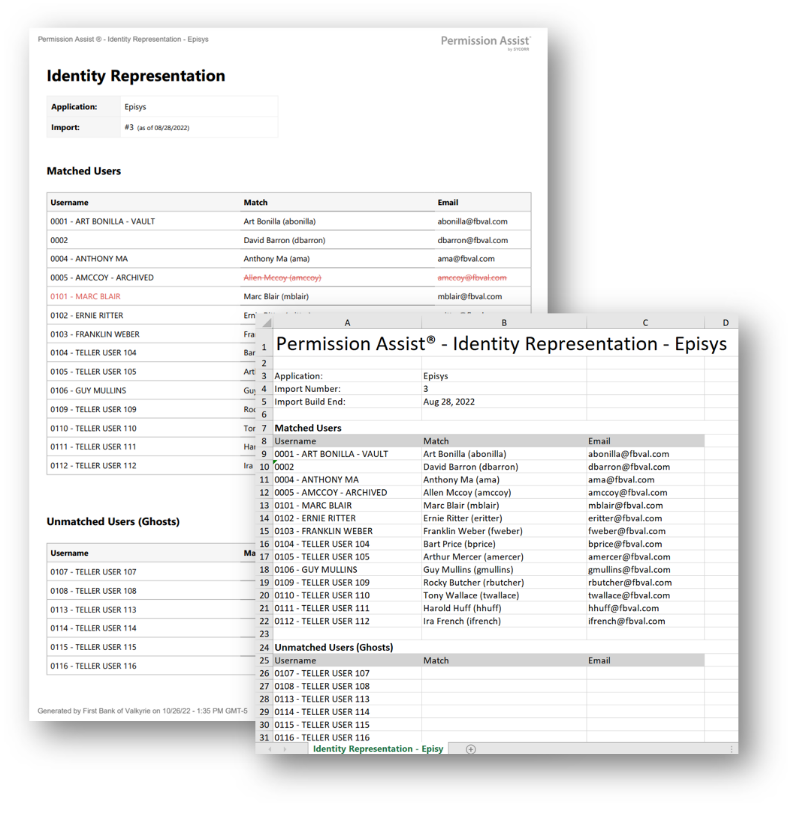
- Identity Representation
-
This report provides a list of all Identities and their matched application users, including email addresses. Available in PDF and Excel.
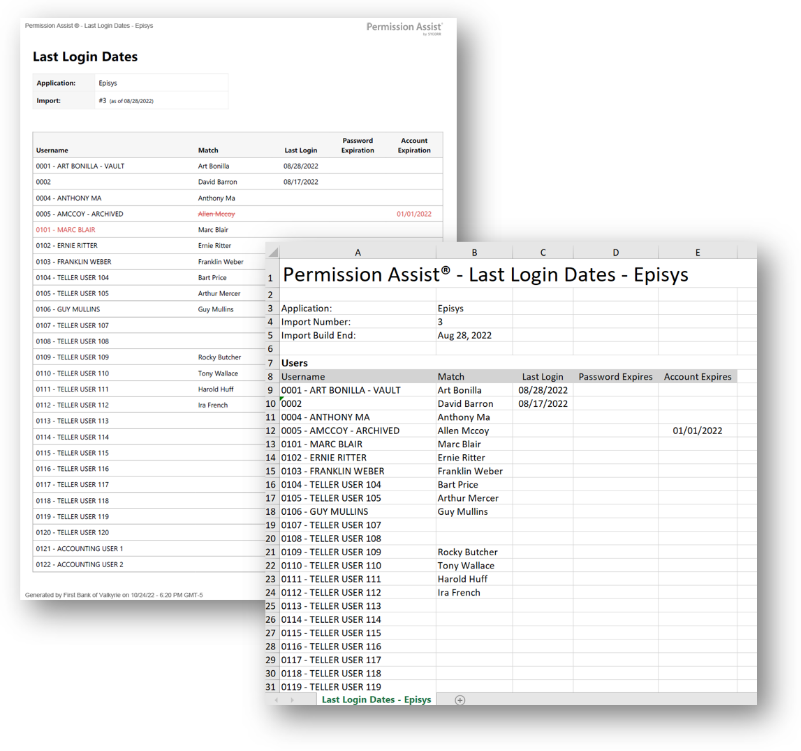
- Last Login Date
-
This report provides a list of all users within an application along with their last login dates, password expiration dates, and account expiration dates. Available in PDF and Excel.
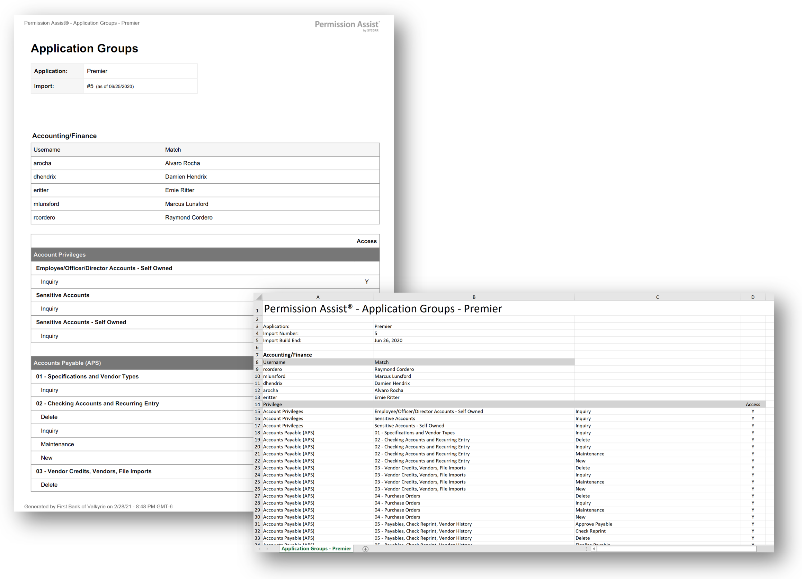
- Application Groups
-
This report provides a list of all groups within a selected application. The detailed version includes users and privileges per group. Available in PDF and Excel.
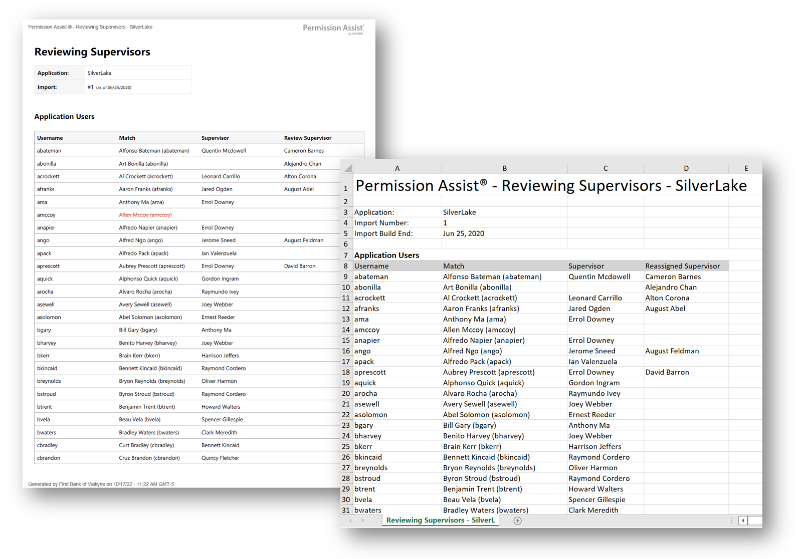
- Reviewing Supervisors
-
This report provides a list of all application users, their directory-source supervisor, and their assigned reviewing supervisor (if overridden). Available in PDF and Excel.
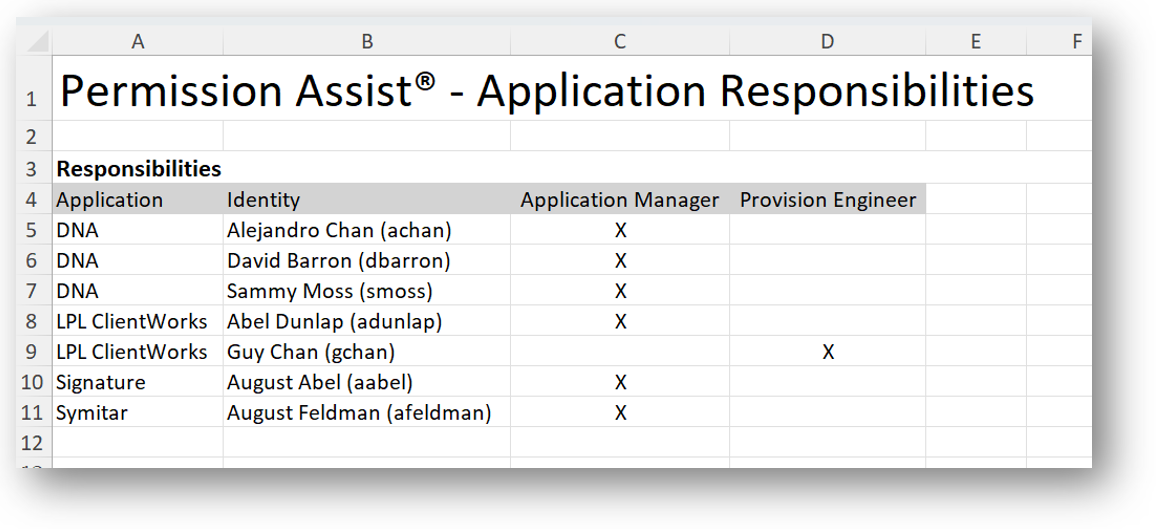
- Application Responsibilities
-
This report provides a list of all applications with Identities assigned as Application Managers or Provision Engineers. Available in Excel.
Access model reports
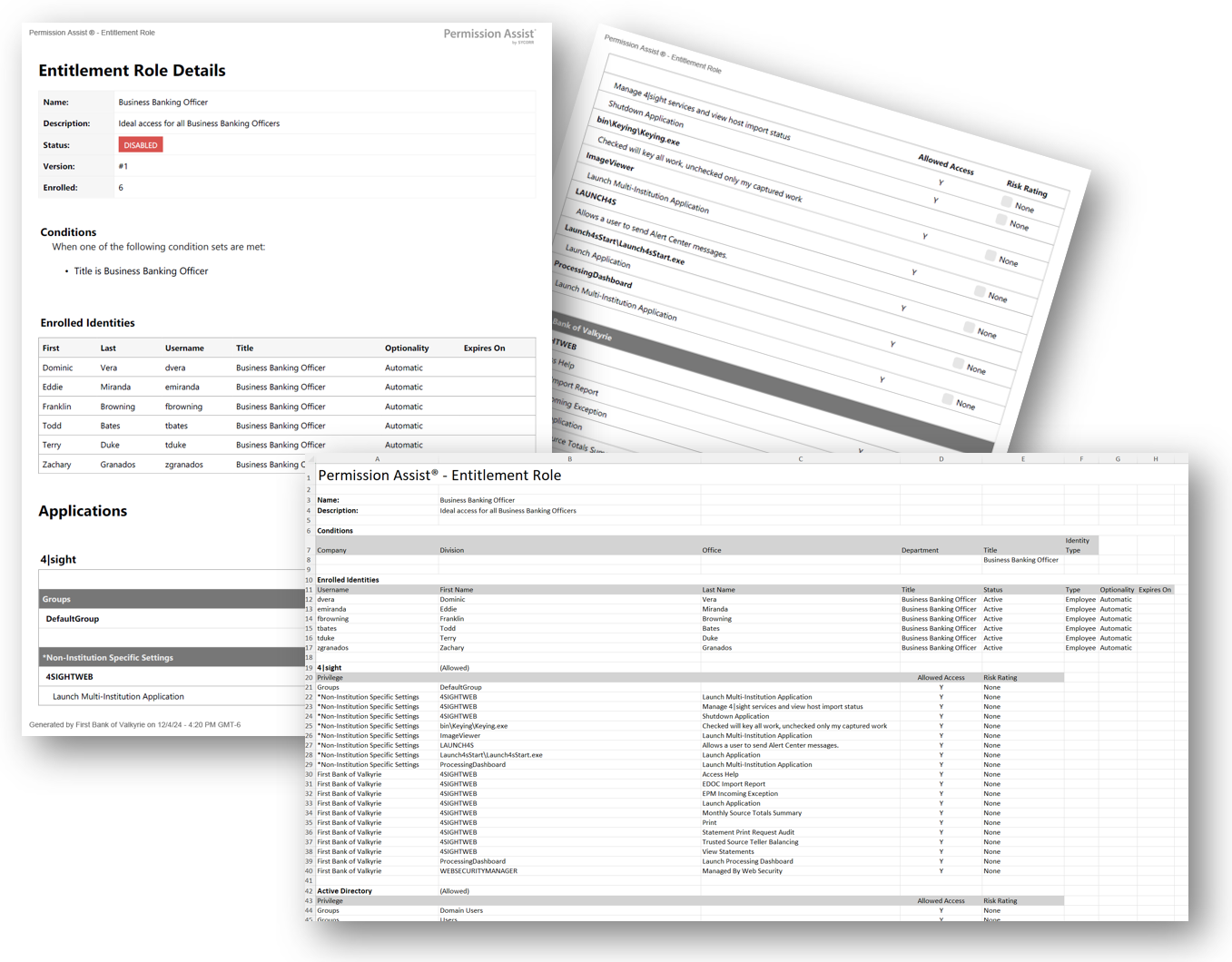
- Detailed Export
-
This report provides all applications, privileges, matching criteria, and enrolled Identities for an Access Model. Includes risk ratings and enrollment details. Available in PDF and Excel.
Personnel event reports
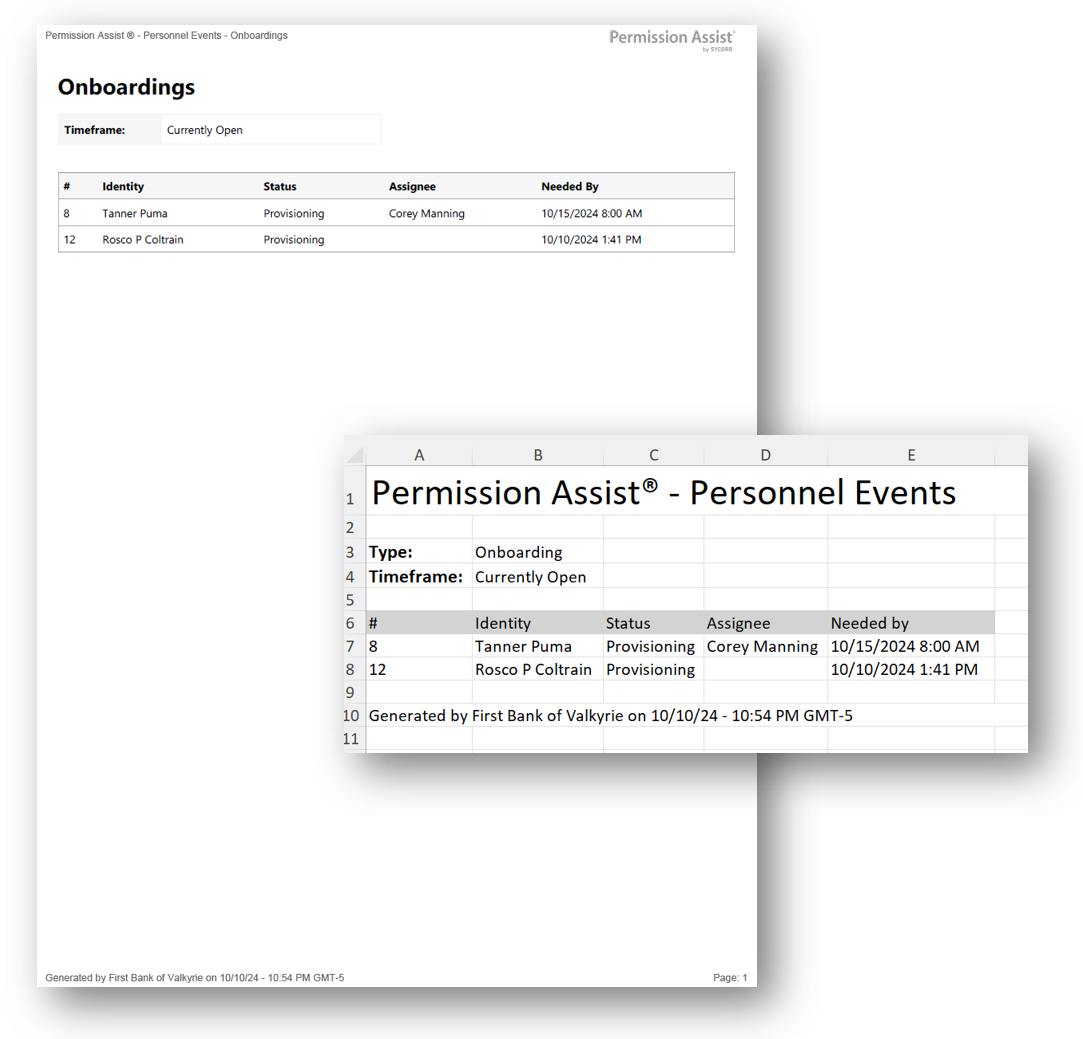
- Onboarding
-
Available as currently-open events or all events within the last 18 months. Includes Identity, status, assignee, and needed-by date. Available in PDF and Excel.
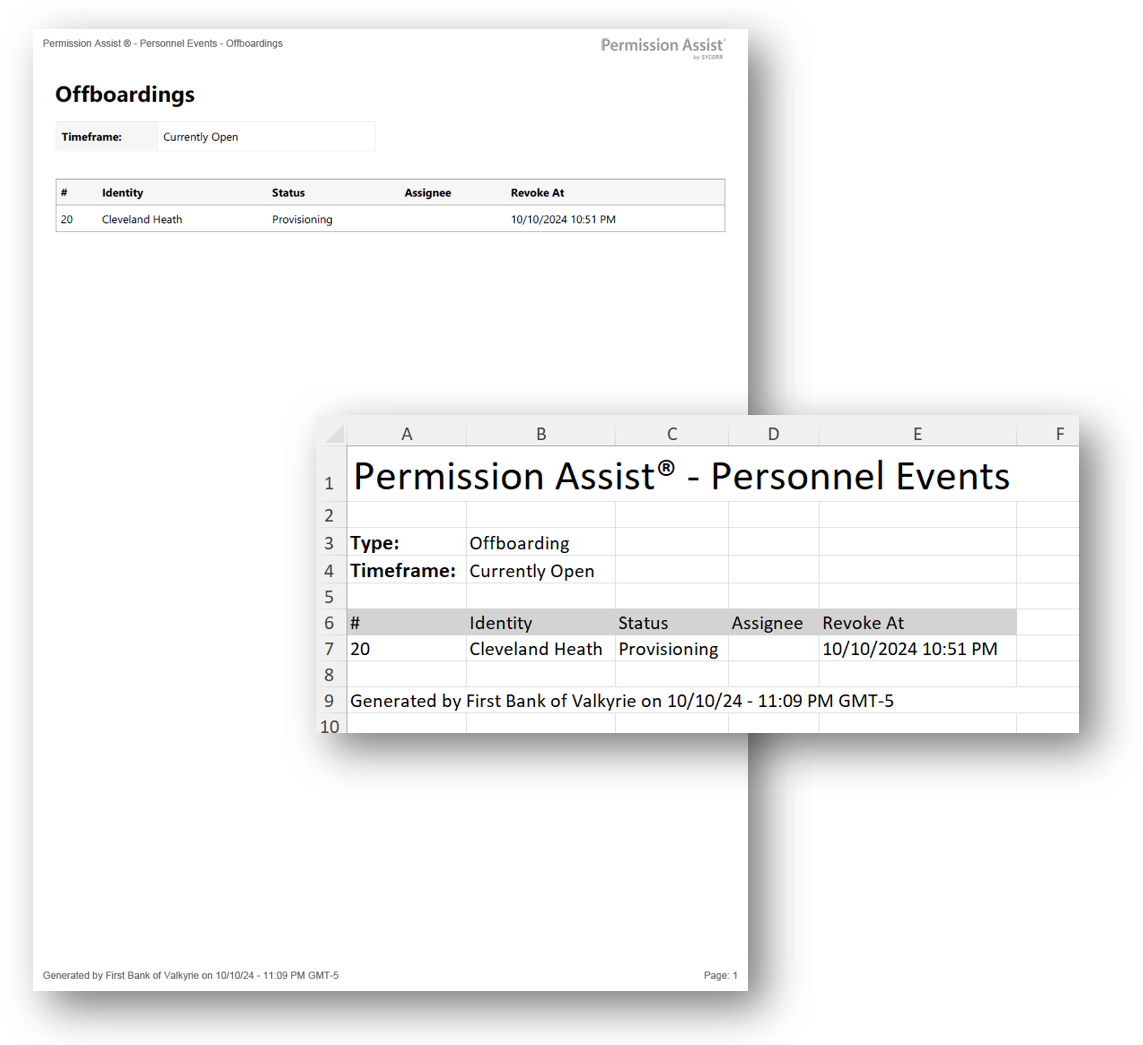
- Offboarding
-
Available as currently-open events or all events within the last 18 months. Includes Identity, status, assignee, and revoke-at date. Available in PDF and Excel.
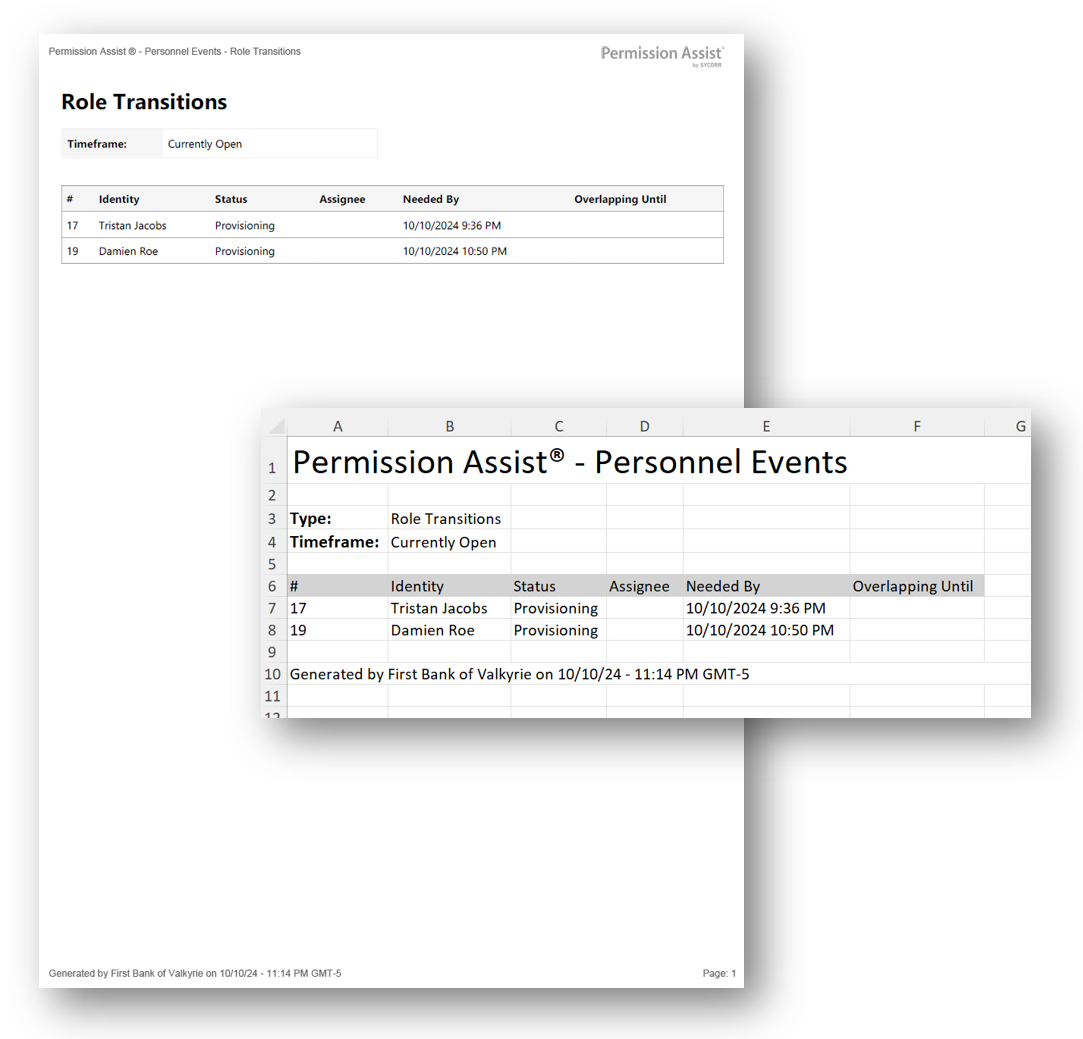
- Role Transitions
-
Available as currently-open events or all events within the last 18 months. Includes Identity, status, assignee, needed-by date, and overlapping-until date. Available in PDF and Excel.
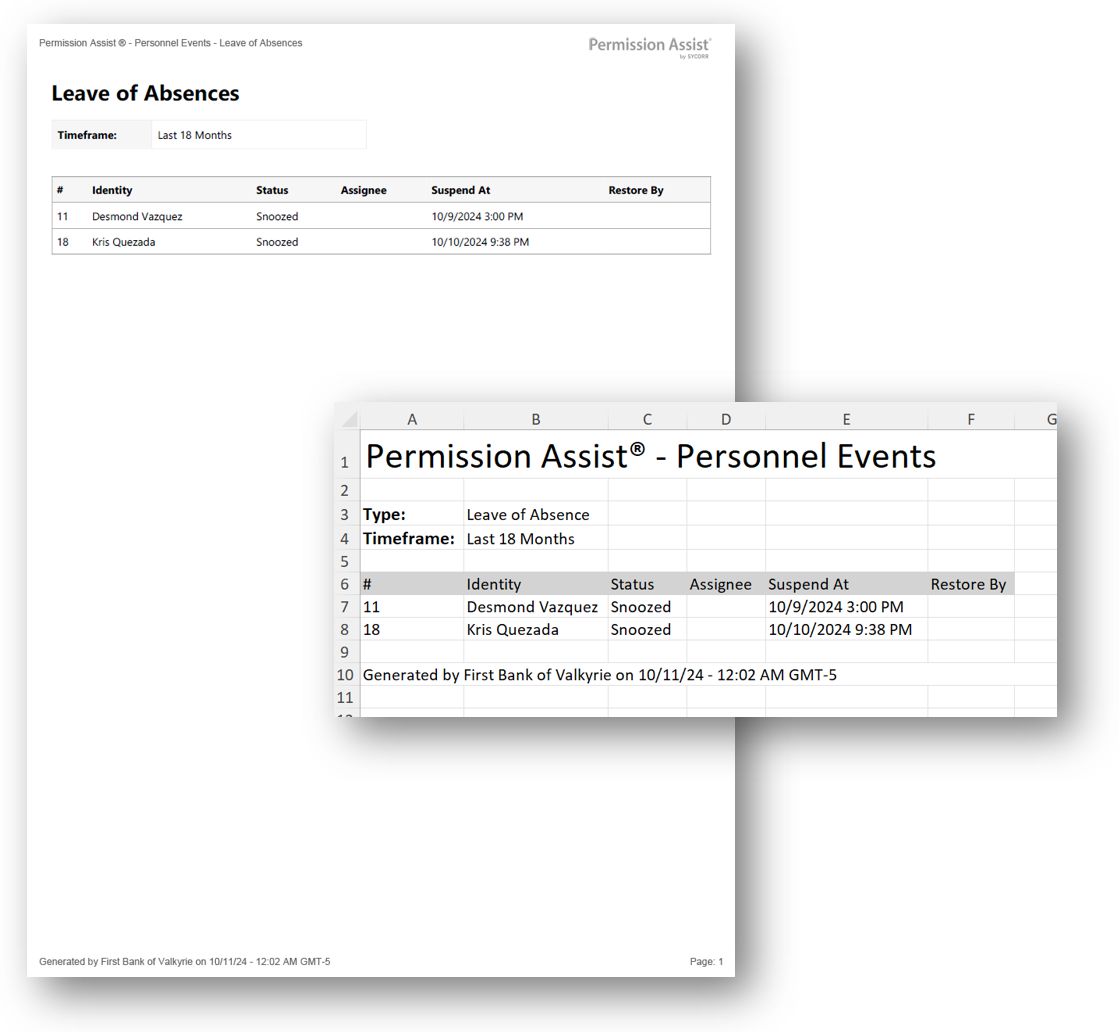
- Leaves of Absence
-
Available as currently-open events or all events within the last 18 months. Includes Identity, status, assignee, suspend-at date, and restore-by date. Available in PDF and Excel.
- Custom Audit Package
- A comprehensive audit package across multiple personnel events within a custom date range. Select a start date and end date, then choose which event types to include (onboardings, offboardings, role transitions, and leaves of absence). The report is downloaded as a ZIP file organized by event type, containing individual personnel event details, access request details, any file attachments, and an Audit Package Summary overview. Available in ZIP.
Review reports
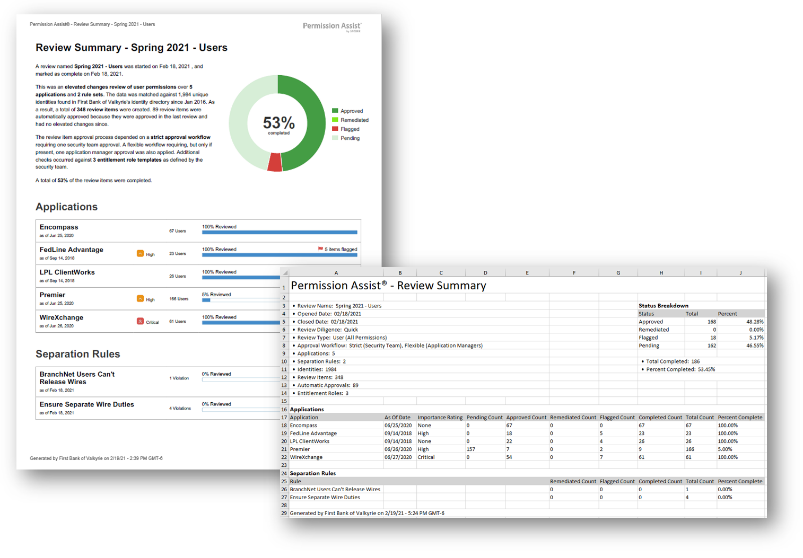
- Overview Summary
-
A high-level summary of the review including start/end dates, review type, statistics, approval workflow, and a list of applications with completion percentages. Available in PDF and Excel.
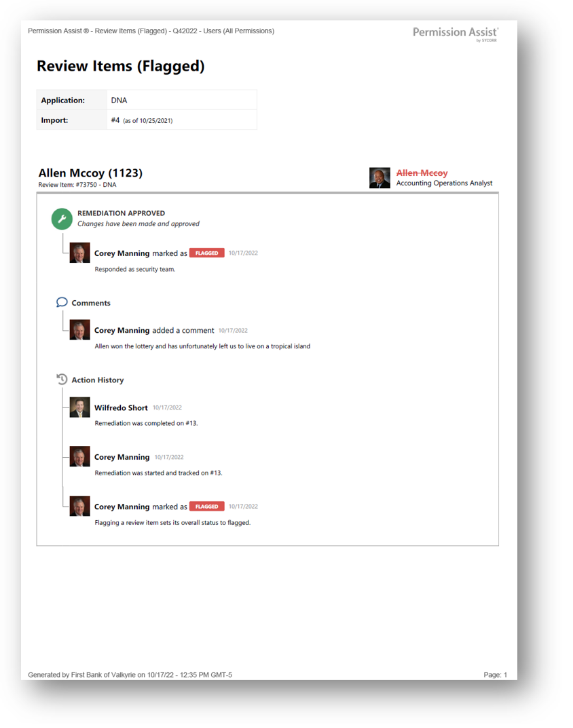
- Flagged
-
All flagged review items with reviewer names, action dates, and all comments and actions. Available in PDF, Excel, and a flat version for custom filtering.
- Remediated
-
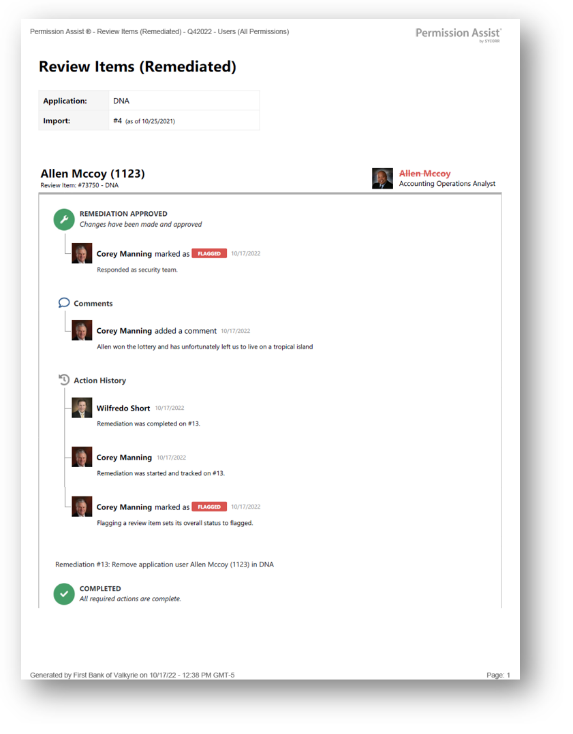
All remediated items/access requests with reviewer names, action dates, and all comments and actions for both the review item and the remediation/access request. Available in PDF, Excel, and a flat version for custom filtering.
- Has Comments
-
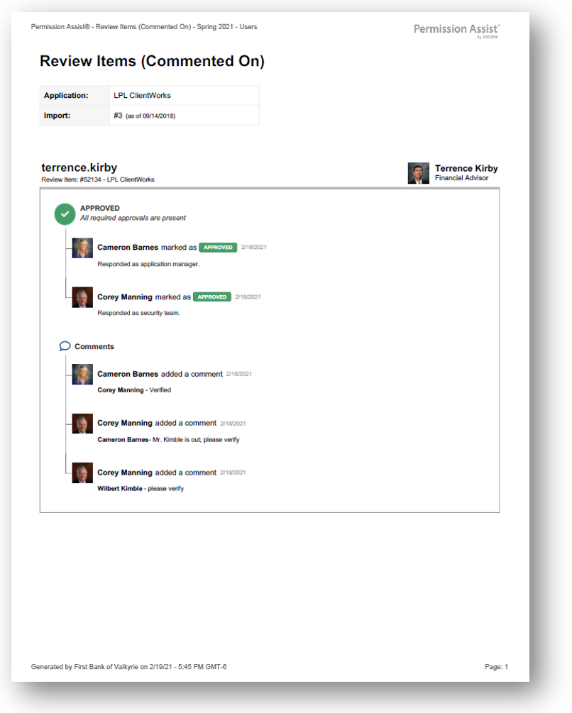
All review items that have comments, including reviewer names, action dates, and all comments. If separation rules were included in the review, they are also displayed. Available in PDF, Excel, and a flat version for custom filtering.
- Self-Reviewed
-
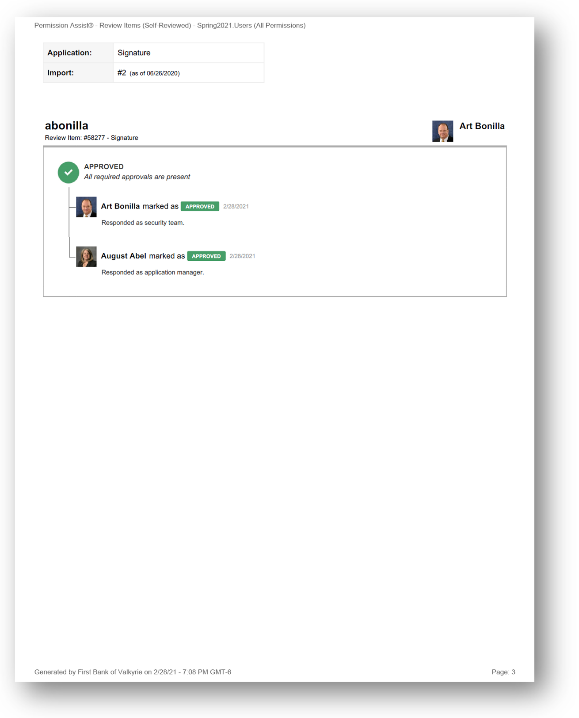
All items for which the reviewer took action on their own privileges. Includes reviewer names, action dates, and all comments. Available in PDF, Excel, and a flat version for custom filtering.
- Single Reviewer
-
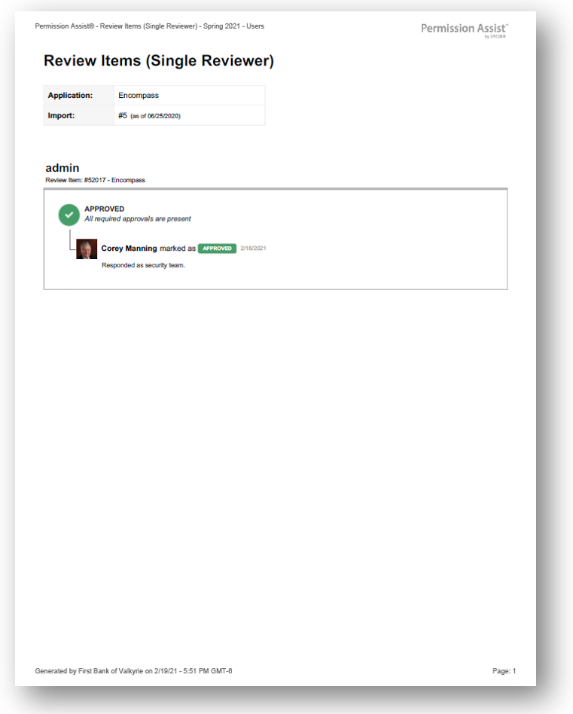
All items reviewed by only one reviewer. Includes reviewer name, action date, and all comments. Available in PDF, Excel, and a flat version for custom filtering.
- Stand-in Reviewers
- All items within the review that were reviewed by the Security Team because no other reviewers were present. Available in PDF, Excel, and a flat version for custom filtering.
- Separation Rule Violations
-
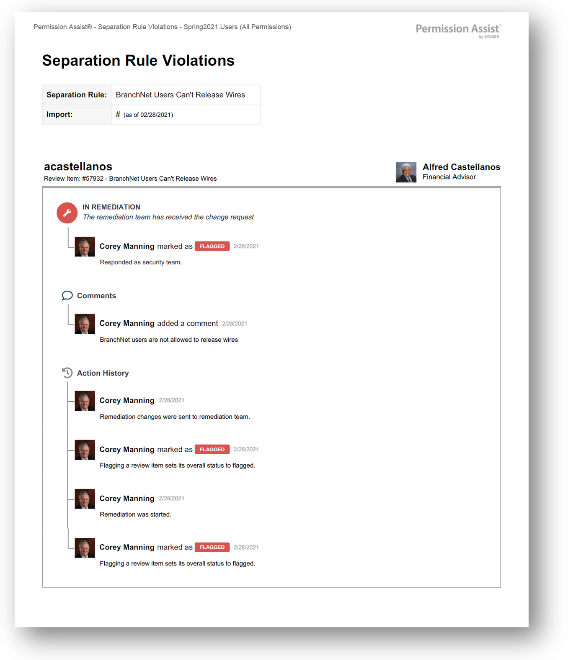
All items identified as violating separation of duty rules. Includes reviewer names, action dates, comments, and a list of actions for each item. Available in PDF, Excel, and a flat version for custom filtering.
- All Review Items
-
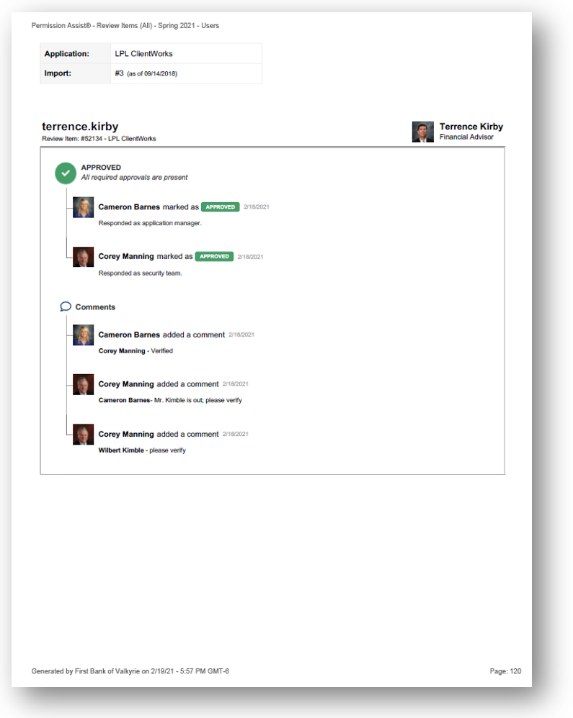
All items within the review with status, ideal access comparison (Ideal, Over Privileged, Accepted Overprivileged, Underprivileged), reviewer names, action dates, comments, and actions for flagged or remediated items. Available in PDF, Excel, and a flat version for custom filtering.
- Ideal Access
-
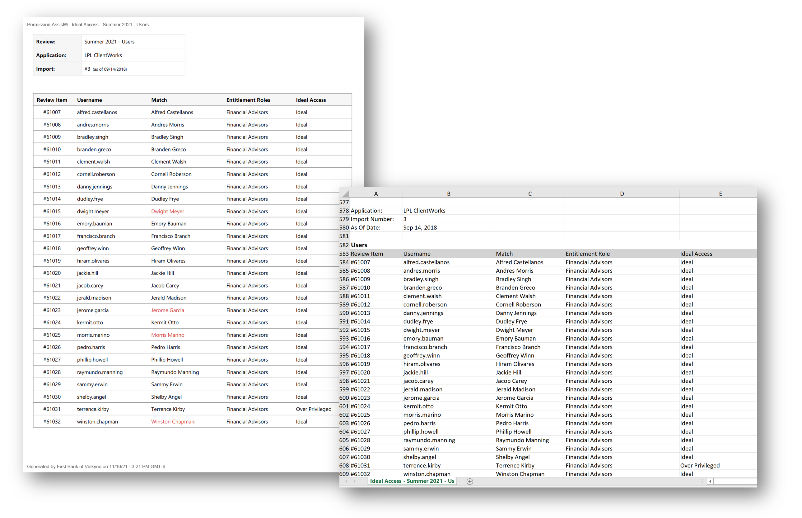
All items within the review showing whether the user has ideal access compared to their associated access models. Includes review item number, application username, matched Identity, associated access models, and ideal access status. Available in PDF and Excel.
- Last Login Date
- All users and their last login dates for each application within the review. Includes review item number, username, matched Identity, and last login date. Available in PDF and Excel.
- Application Imports
-
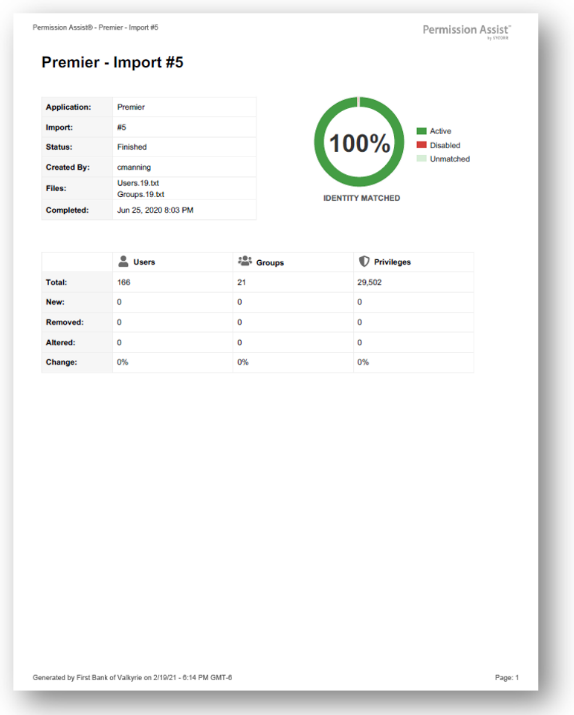
A zipped file containing the raw system files for each application import used in the review. Includes an import report with analytical data for verification purposes, such as application name, import number, status, user who imported, file names, date/time, and change statistics for users, groups, and privileges.
- Application Audit Package
- All reports and files for a single application within the review, zipped in a single downloadable file. Permission Assist will alert you with a notification indicator next to the Reports menu when the report is available. An email notification is sent if the file is not downloaded within 15 minutes.
- Complete Audit Package
- All reports and files for all applications within the review, zipped in a single downloadable file. Permission Assist will alert you with a notification indicator next to the Reports menu when the report is available. An email notification is sent if the file is not downloaded within 15 minutes.
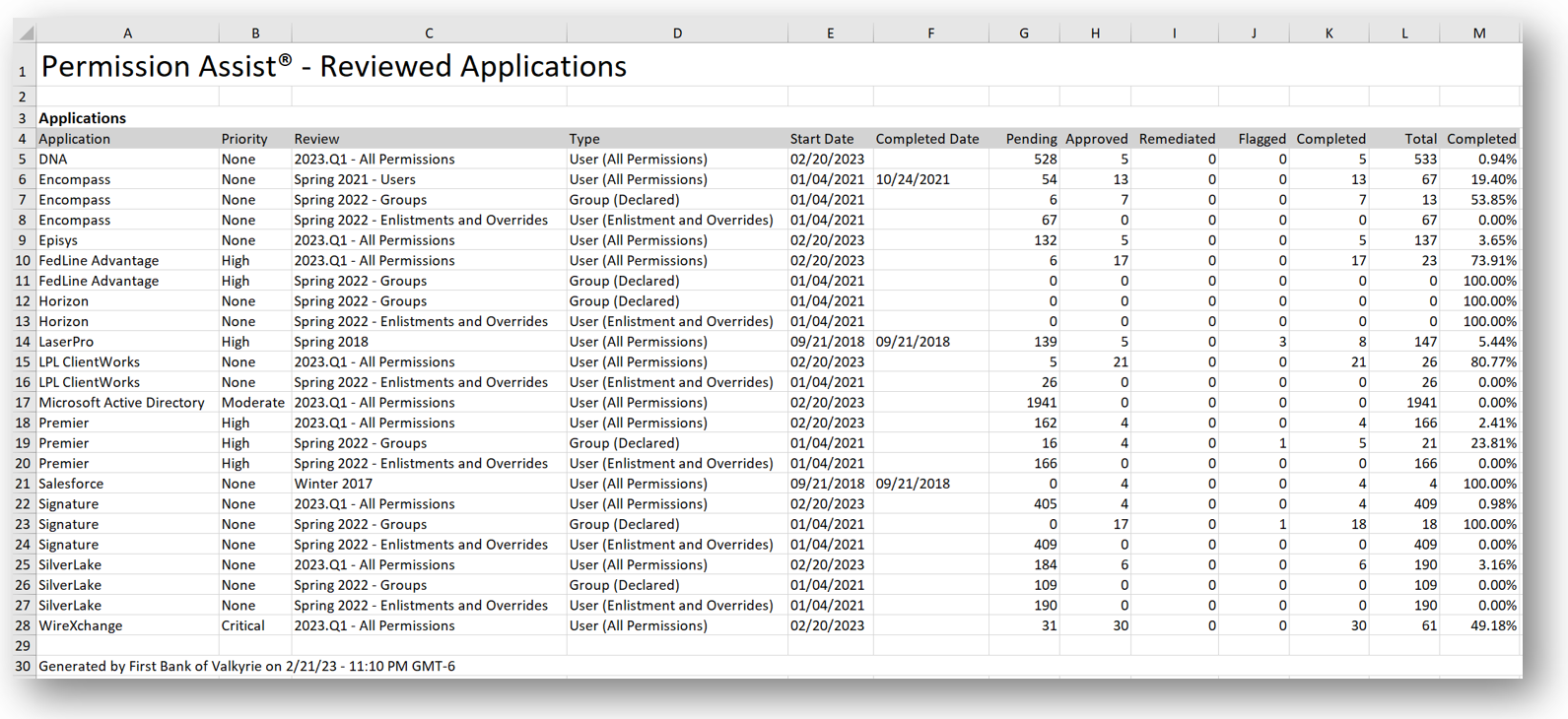
- Reviewed Applications
-
An analytical summary of review data for either all applications within the most recent review or all applications within all reviews. Includes pending items, approved items, remediated items, and more for tracking data over time. Permission Assist will alert you with a notification indicator next to the Reports menu when the report is available.