Enable software update notifications
To get notifications when a new version of Permission Assist becomes available, complete the following steps:
-
Go to the System Configuration cogwheel in the upper right corner of Permission Assist and select Software Updates.
-
When update notifications are disabled, the notification option will look like the following:

-
Select the Off button.
-
After selecting this option, the option turns green (see picture below).
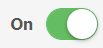
Each day at 7:00 AM local time, Permission Assist will check for updates. When a new version is available, Permission Assist Administrators and Security Team members will see a one-time notification that an update is available. An email notification is also sent on the first of the month if a new version is available.
Related topics: