Manage Also Known As accounts
Employees often have multiple Active Directory accounts to accommodate various situations — a standard account, an admin account for one or more applications, an account for a specific branch, and so on. Consolidation links those accounts to a single primary identity. Use the Also Known As option on the Identity Details page to consolidate accounts and to detach them when needed.
Consolidate identities
Important
Always start from the primary identity — the one with the job title and supervisor information — and add the secondary account under it. Linking accounts in the reverse direction can cause problems with reviews and other workflows later.
To consolidate identities, complete the following steps:
- On the primary identity's Identity Details page, select the Also Known As option.
- Select the + Add an identity link in the upper right corner of the Also Known As area. The Create "Also Known As" window appears.
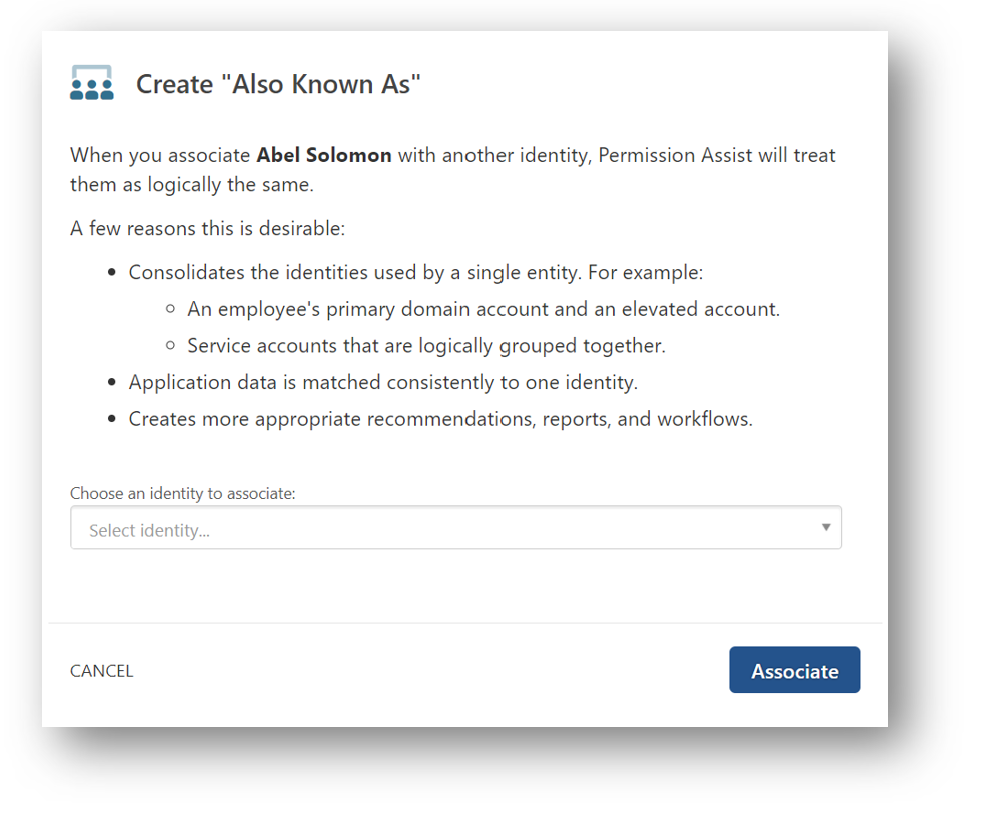
- Select the Choose an identity to associate field and then select the identity you want to add under this identity.
- Select the Associate button. The new identity appears in the Also Known As list. Permission Assist now considers these a single identity, which allows it to match application users to identities more consistently across all linked accounts.
Detach an identity (from the primary identity)
To detach an identity from the primary identity, complete the following steps:
- While viewing the Also Known As option for the primary identity, hover over the identity you want to detach.
- Select the Detach button. The Are you sure? window appears.

- Select the Detach button. The identity is removed from the Also Known As list and is now considered an independent primary identity.
Detach an identity (from the associated identity)
To detach an identity from the associated identity, complete the following steps:
- While viewing the Also Known As option for the associated identity, select the Detach this identity from... link in the upper right corner. The Are you sure? window appears.

- Select the Detach button. The primary identity is removed from the Also Known As list.