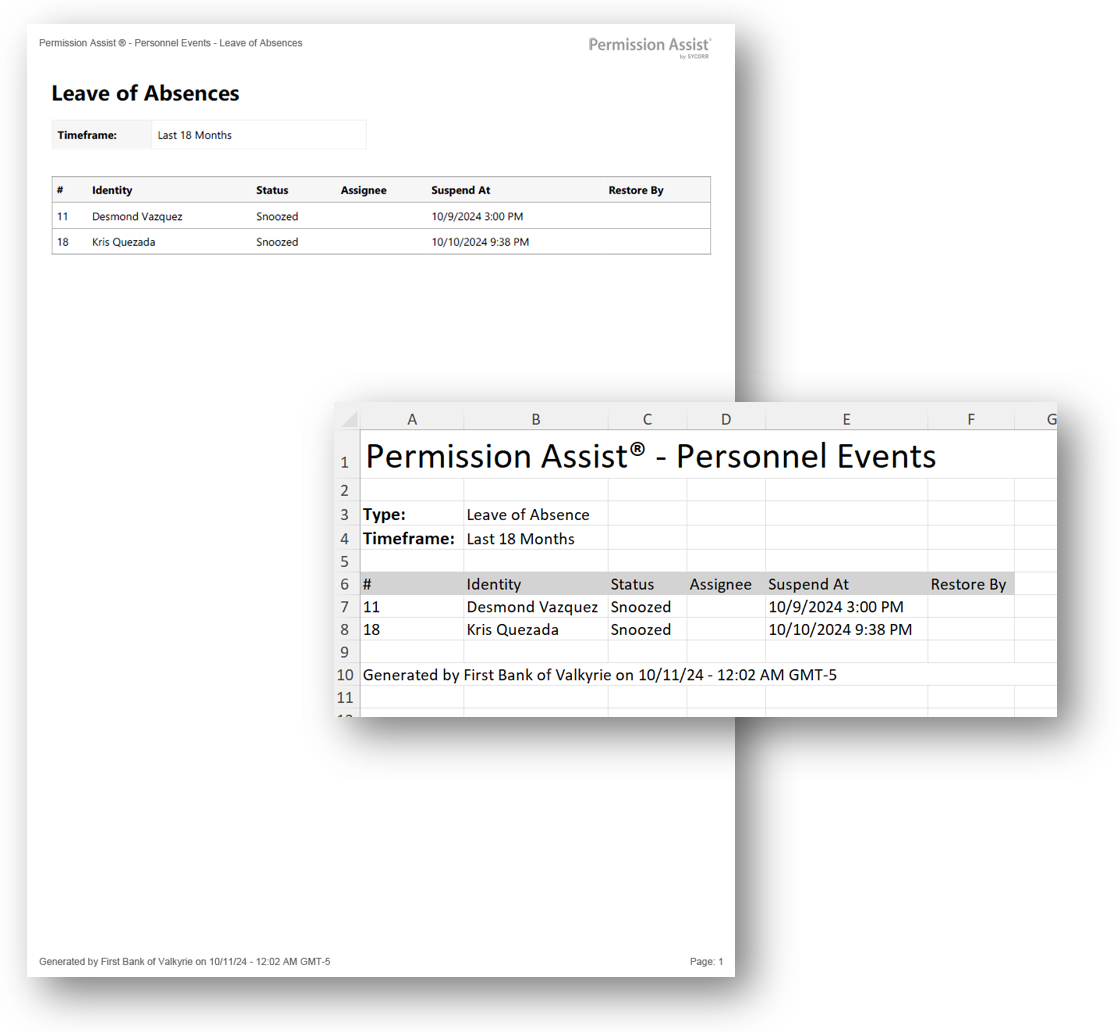
Leaves of Absence report
How to view or generate this report
Go to Reports > Personnel Events > Leave of Absences.
The Leaves of Absence report lists leave-of-absence personnel events with the identity each leave applies to, the event's status, the assignee responsible for moving it forward, the date access is to be suspended, and the date access is to be restored. Leave events handle temporary access removal — when someone is on medical leave, sabbatical, or any extended absence — and (often) the planned restoration of access on return.
When a leave is created without a known return date, the restoration milestone is set to Snoozed and is activated later when the return date becomes known.
When to use this report
- Active-leave tracking. Use the Currently Open time frame to see every leave that's currently in flight — including those snoozed waiting on a return date.
- Restoration follow-through. A non-empty open list with passed Restore By dates flags leaves where access should have been restored but the event hasn't been closed.
- HR reconciliation. Use the Last 18 Months time frame to cross-check Permission Assist's leave records against HR's leave tracking.
- Audit response. Examiners ask how access is managed when people are absent. This report shows it directly.
Output formats
| Format | Notes |
|---|---|
| Excel | A single sheet with one Personnel Events table. |
| A printable document with the same table. |
The header at the top of every export shows the personnel event type ("Absence") and the selected time frame.
Time frame
Pick one of the following when exporting:
| Time frame | What it includes |
|---|---|
| Currently Open | Leave-of-absence events whose status is not Completed and not Canceled — the active work in progress, including snoozed leaves awaiting a return date. |
| Last 18 Months | Leave events created within the last 18 months, regardless of status. |
| All (default when neither time frame is selected) | Every leave event ever recorded. |
Columns
| Column | Description |
|---|---|
| # | The personnel event's short identifier. |
| Identity | The matched identity's short display name. |
| Status | The event's current status — see Status values below. |
| Assignee | The identity currently responsible for the active milestone. Blank when no assignee has been set. |
| Suspend At | The date access is to be suspended, in your organization's configured time zone. Blank when no date has been set. |
| Restore By | The date access is to be restored. Blank when the return date is not yet known (in which case the restoration milestone is Snoozed until a return date is captured). |
Status values
The Status column shows user-friendly labels for the underlying access-request status:
| Status | Meaning |
|---|---|
| Needs Approval | The event is awaiting approval responses before suspension can begin (underlying status: Pending). |
| Provisioning | Suspension or restoration is in progress (underlying status: Open). |
| Verifying | The action is complete and awaiting verification responses (underlying status: Resolved). |
| Completed | The event is finished. |
| Canceled | The event was canceled before completion. |
| Scheduled | The event is scheduled to start at a future date. |
| Snoozed | The restoration milestone is paused, awaiting a known return date. |
Sample