Allow or deny access model permissions
If you'd like to have Permission Assist update all of the applications and permissions within an access model based on the most recent import data, refer to the following topic: Update access models (realign permissions)
To manually allow or deny permissions within a specific application, complete the following steps:
- From the Access Models list, select the access model you want to change. The access model's detail page is displayed.
- Select the Add Application link at the bottom of the applications list (see picture below).
-
Within the Modeling tab (which is displayed by default), select the application you want to change within the list. The permissions are displayed on the right side of the page (see picture below).
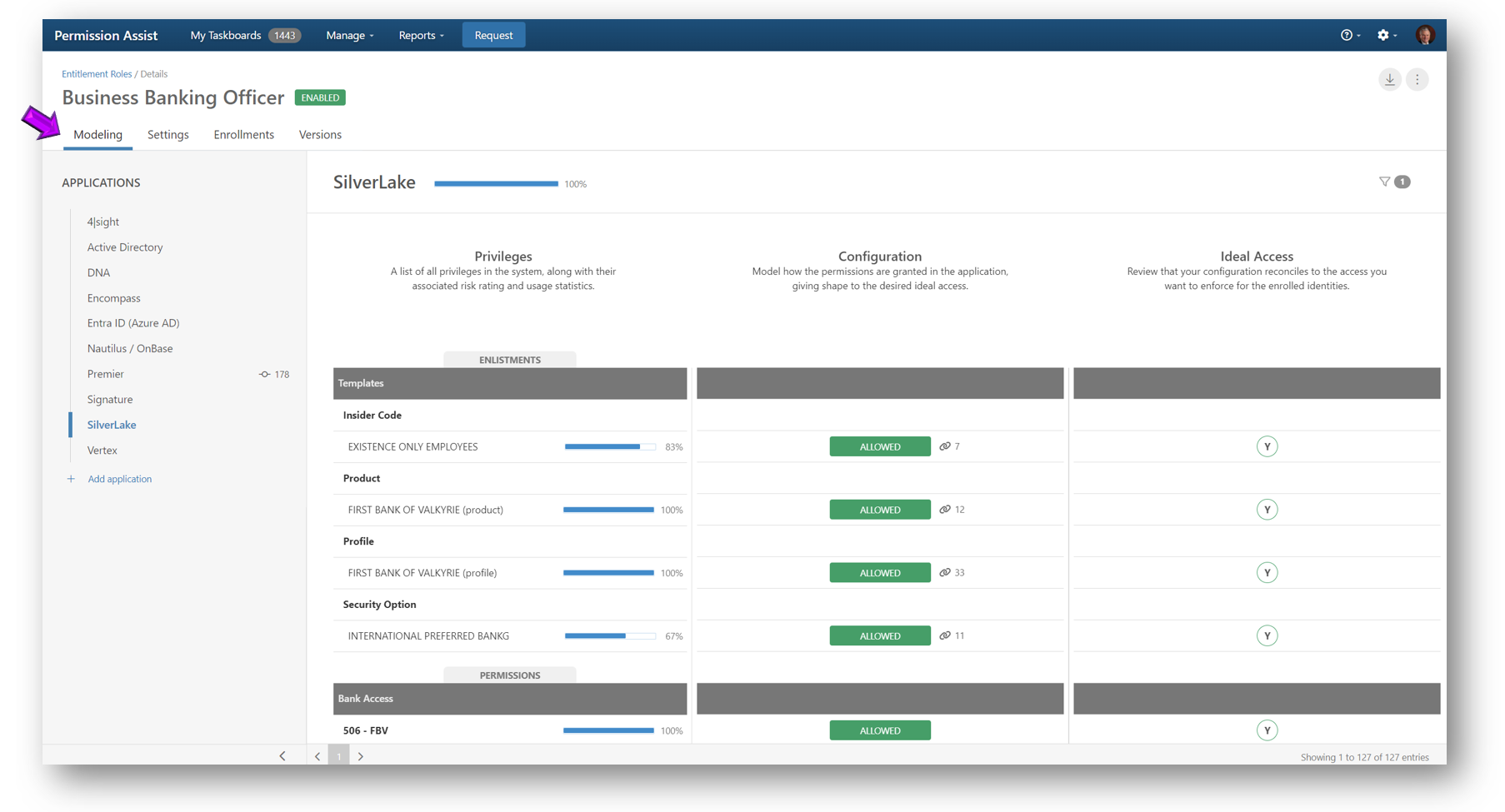
-
For each privilege you want to allow or deny, use the following buttons:
Option Description Allow 
When the Allow button is displayed, it means the permission is not allowed according to the access model. To allow the permission, select the Allow button. After selecting the Allow button, the Allowed button is displayed. Allowed 
When the Allowed button is displayed, it means the permission is allowed for anyone enrolled in the access model. To remove the configuration, select the Allowed button. After selecting the Allowed button, the Allow button is displayed, which means the permission is not modeled as ideal access for this access model. NOTE: If a group enlistment is allowed due to inheritance through another group enlistment, it cannot be overridden and denied. Inherit 
When a permission can be inherited from a group, but access to a group that includes this permission has not yet been granted, the Inherit button is displayed. To allow this permission, select an appropriate group enlistment that includes this permission and the permission will be granted through inheritance. If needed, you can override this, and explicitly assign this permission in some situations. Inherited 
When a permission is being inherited from a group, the Inherited button is displayed. Deny 
When a permission either is inherited or has the potential to be inherited, but is explicitly denied instead, the Deny button is displayed. Image descriptions:
Image Description Inheritance

When the inheritance image is displayed beside a button along with a number, it means that if the permission is allowed, additional permissions will also be inherited. If the image is displayed on the button rather than beside the button, it means the permission either is or can be inherited from a group. If the permission is allowed vs inherited, it could also indicate that the permission is a group that is allowed because it's inherited through being part of another group. Broken Inheritance 
When the broken inheritance image is displayed, it means that the permission could have been inherited from a group, but it was overridden and explicitly allowed. Changing the group-level permissions will no longer affect this permission. Tip
To save time, permissions can be filtered by selecting the Filter button. The following options are displayed:
Filter Action Recommended When selected, this option shows the permissions that are recommended to be allowed based on a participation of 65% or more. Configured When selected, this option shows the permissions that have been granted through the modeling of ideal access. Permissions that have been configured will show as "Allowed". 
Changed When selected, this option shows the permissions that have been changed since the last committed version of the application within the access model. Permissions that have changed but not yet committed are indicated with a change symbol between the Configuration and Ideal Access columns. 
New When selected, this option shows the permissions that are new as of the most recent import. Unused By default, all permissions are displayed. When selected, this option shows any permissions that have 0% participation, meaning no one who is enrolled in the access model has been assigned that permission within the application. 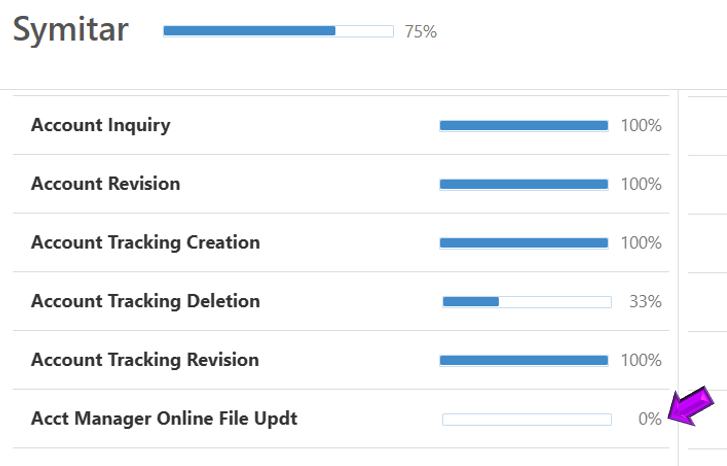
Absent When selected, this option shows permissions that Permission Assist has seen before, but no longer sees as of the most recent import (for example, permissions that used to exist but don't anymore). -
As changes are made, the number of changes is displayed to the right of the application name (see picture below).
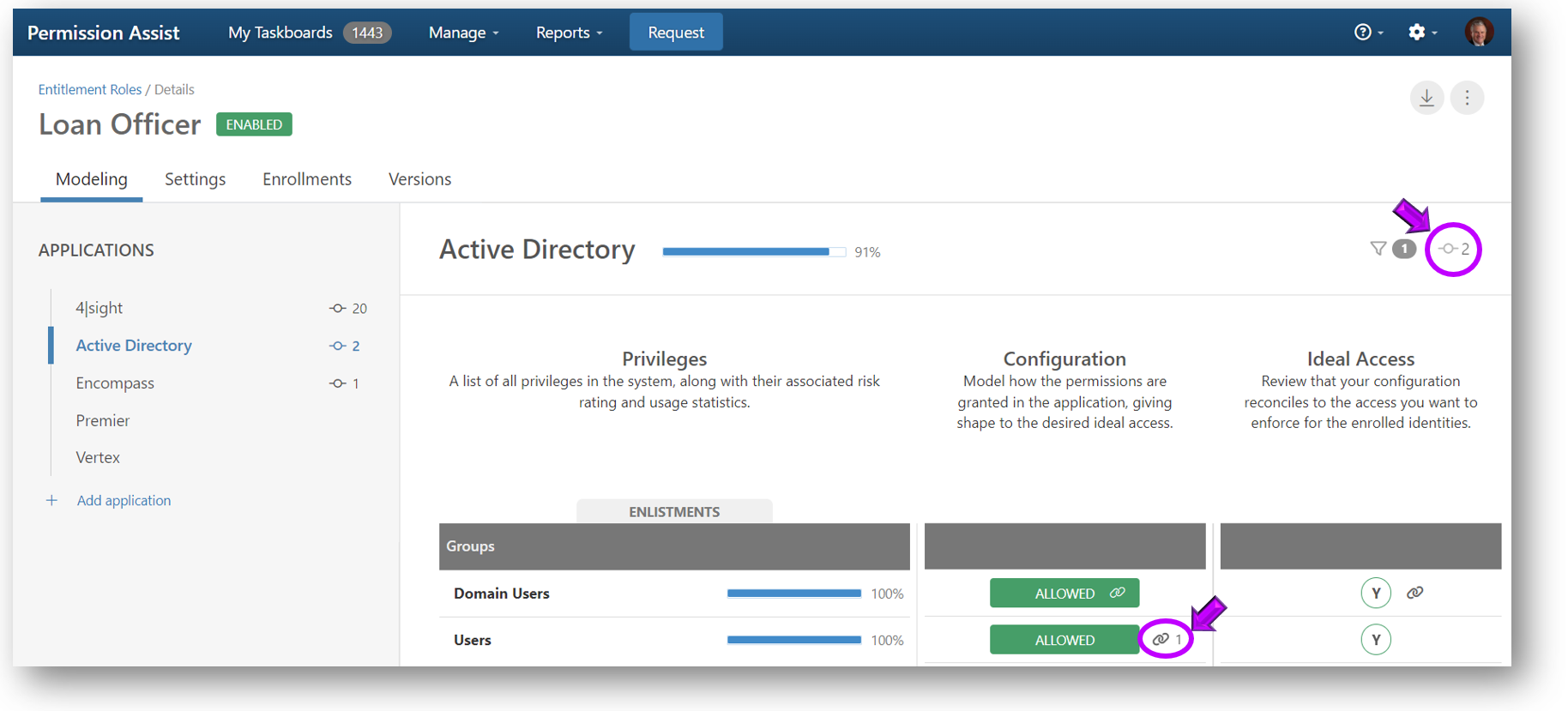
-
When all changes to the application are complete, commit the changes.