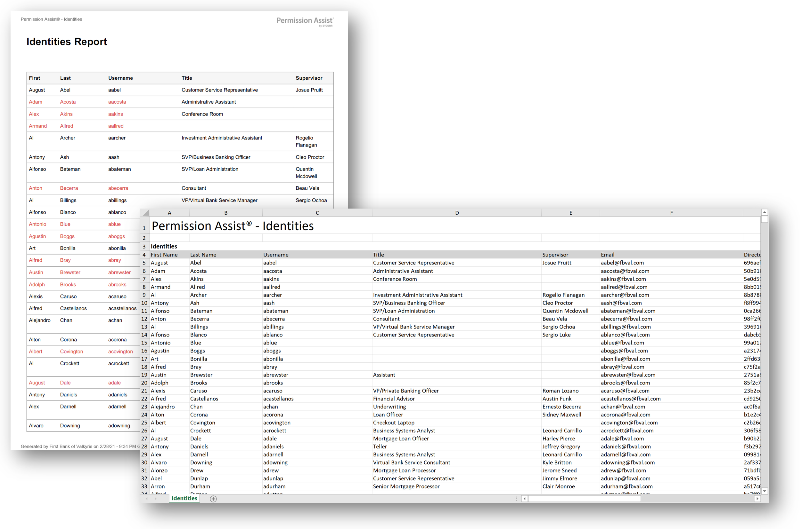
All Identities Summary report
How to view or generate this report
Go to Reports > Identities > All Identities Summary.
The All Identities Summary report is the organization-wide roster of every identity Permission Assist knows about. The Excel version captures the full set of directory and classification fields — first/last name, username, title, supervisor, email, directory identifiers, status, type, lifecycle dates, and any custom fields your organization has configured. The PDF version is a printable summary intended for sign-off and archive.
When to use this report
- Organization-wide inventory. Use this report as the single roster for any project that needs to enumerate every identity — license reconciliation, communications planning, mass updates.
- Filtered subsets for audit. Combine the Status and Type filters to scope the roster — for example, every active Service account, or every removed Employee in the last quarter.
- Custom-field reporting. When your organization has configured custom identity fields, this report includes them automatically as additional columns.
- Group view. Use Show Grouped to fold secondary identity records under their primary identity — useful when one person has multiple identity records across directory sources.
Output formats
| Format | Notes |
|---|---|
| Excel | A single sheet with one row per identity, including the full column set and any configured custom fields. |
| A printable summary with the core columns. |
Filters
| Option | Effect |
|---|---|
| Search Term | Narrows the roster to identities whose visible columns (name, username, email, title, supervisor, source, or any visible custom field) contain the term. The Visible Columns option controls which columns the search applies to. |
| Show Active | Includes identities with Active status. |
| Show Disabled | Includes identities with Inactive (disabled) status. |
| Show Removed | Includes identities that have been removed from the directory source but retained in Permission Assist for audit. |
| Show Grouped | Folds secondary identity records under their primary identity, adding the Also Known As column. |
| Identity Types | Restricts the roster to selected identity types (Employee, Service Account, Vendor, Shared, Mailbox, Client, Temporary, Administrator, Auditor, AI Agent). |
A header at the top of the export shows the active filter values.
Columns
The Excel version always produces the following columns. Custom fields appear at the end of the row when configured.
| Column | Description |
|---|---|
| First Name | The identity's first name. |
| Last Name | The identity's last name. |
| Username | The identity's username. |
| Title | The identity's job title. |
| Supervisor | The supervisor's name reported by the directory source. |
| The identity's email address. | |
| Directory Id | The unique identifier assigned by the directory source. |
| User Principal Name | The directory's principal name for the identity (for example, the UPN in Active Directory). |
| Employee Id | The employee identifier reported by the source, if any. |
| Status | Active, DISABLED, or REMOVED. |
| Type | The identity type: Employee, Service Account, Vendor, Shared, Mailbox, Client, Temporary, Administrator, Auditor, or AI Agent. |
| Created On | The date the identity was created in the source application. |
| Updated On | The date the identity was last updated in the source application. |
| First Seen | The date Permission Assist first imported the identity. |
| Also Known As | Shown only when Show Grouped is selected — the primary identity's display name when the row is a secondary identity, blank when the row is itself a primary. |
| Custom fields | Any custom identity fields that have been configured and enabled appear as additional columns at the end of the row with their configured display names. |
Sample