Offboarding report
How to view or generate this report
Go to Reports > Personnel Events > Offboardings.
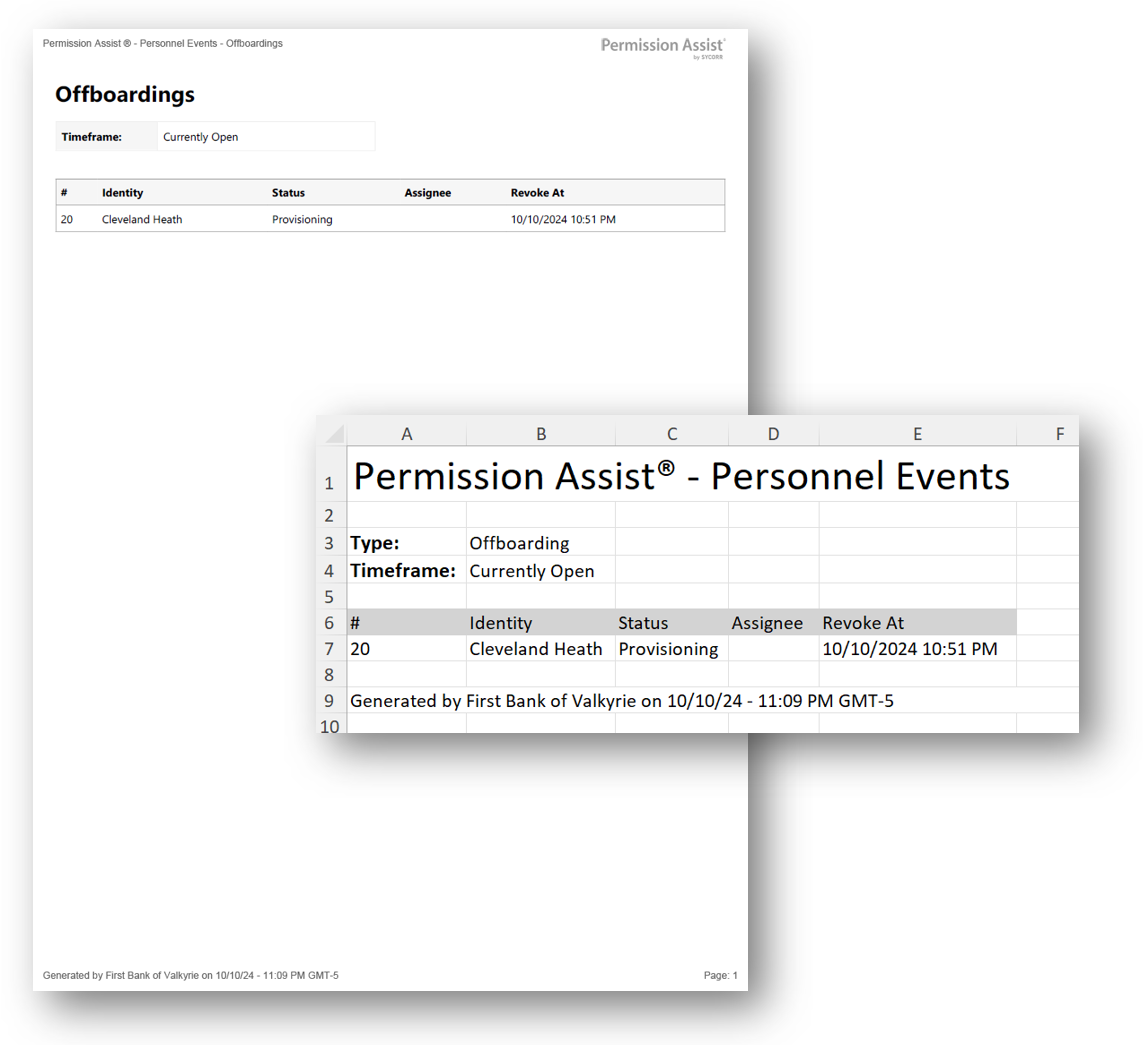
The Offboarding report lists offboarding personnel events with the identity each one applies to, the event's status, the assignee responsible for moving it forward, and the date access is to be revoked. Use it to verify that access is being removed on time when someone leaves, and to assemble a clean record of past offboardings for audit.
When to use this report
- Departure-control verification. Use the Currently Open time frame to see every active offboarding — and to confirm none are stalled past their revoke-at date.
- Termination audit. Use the Last 18 Months time frame to produce the list examiners commonly request: every offboarding completed during the audit window.
- Workload distribution. The Assignee column makes it easy to spot whether offboarding work is concentrated on one person.
- SLA reporting. Compare the revoke-at date against the completed date in linked personnel-event details to measure how often offboardings finish on time.
Output formats
| Format | Notes |
|---|---|
| Excel | A single sheet with one Personnel Events table. |
| A printable document with the same table. |
The header at the top of every export shows the personnel event type ("Offboard") and the selected time frame.
Time frame
Pick one of the following when exporting:
| Time frame | What it includes |
|---|---|
| Currently Open | Offboarding events whose status is not Completed and not Canceled — the active work in progress. |
| Last 18 Months | Offboarding events created within the last 18 months, regardless of status. |
| All (default when neither time frame is selected) | Every offboarding event ever recorded. |
Columns
| Column | Description |
|---|---|
| # | The personnel event's short identifier. |
| Identity | The matched identity's short display name. |
| Status | The event's current status — see Status values below. |
| Assignee | The identity currently responsible for the active milestone. Blank when no assignee has been set. |
| Revoke At | The date access is to be revoked, in your organization's configured time zone. Blank when no date has been set. |
Status values
The Status column shows user-friendly labels for the underlying access-request status:
| Status | Meaning |
|---|---|
| Needs Approval | The event is awaiting approval responses before deprovisioning can begin (underlying status: Pending). |
| Provisioning | Deprovisioning is in progress (underlying status: Open). |
| Verifying | Deprovisioning is complete and the event is awaiting verification responses (underlying status: Resolved). |
| Completed | The event is finished. |
| Canceled | The event was canceled before completion. |
| Scheduled | The event is scheduled to start at a future date. |
| Snoozed | The event is paused. |
Sample